

AS400 and SAP integration is the process of connecting IBM i legacy systems with SAP enterprise resource planning platforms to create real-time data sharing and business process automation across your enterprise. IBM refers to the AS/400 platform by its current name, IBM i, though both terms remain in active use across enterprise IT teams. For organizations running decades of business logic on IBM i while adopting SAP ERP for finance, procurement, or supply chain, connecting these two systems is not optional. It is the difference between a modern, data-driven operation and one held together by spreadsheets and manual re-entry. IBM has tens of thousands of practitioners supporting SAP deployments worldwide, which signals how deeply these two platforms intersect in enterprise environments.
What are the main methods for AS400 and SAP integration?
Three integration approaches dominate enterprise deployments in 2026: iPaaS platforms, REST API exposure, and file-based middleware. Each serves a different risk profile and technical maturity level.
iPaaS platforms (Integration Platform as a Service) are the fastest path to connecting SAP and IBM i without writing custom code for every connection. Modern iPaaS solutions save up to 90% in engineering time compared to hand-coded integrations. That saving compounds quickly when your team manages dozens of data objects across both systems.

REST API exposure is the most effective modernization strategy for IBM i in 2026. Exposing IBM i business logic as REST APIs keeps processing local to the IBM i server while SAP applications consume the results securely over the network. This avoids direct database coupling, which is the single riskiest pattern in legacy integration work.
File-based and middleware integration still handles a large share of enterprise data exchange, particularly in manufacturing and distribution. Multi-protocol integration platforms support APIs, flat files, and EDI simultaneously, which matters when your SAP environment connects to suppliers and partners who still send X12 or EDIFACT documents.
- iPaaS: No-code or low-code connectors, real-time sync, handles 50,000 to 100,000,000+ records
- REST APIs: IBM i logic exposed as services, consumed by SAP apps without DB-level access
- File-based/EDI: Batch transfers, middleware translation, suited for partner-facing data exchange
- Middleware brokers: Message queuing and transformation for complex, multi-system environments
Pro Tip: Start with REST API exposure for your highest-value IBM i business objects, such as inventory availability or order status. These deliver immediate SAP value without touching your core RPG programs.
What are the biggest challenges in AS400 and SAP data management?
Data ownership is the most overlooked challenge in IBM i and SAP integration projects. Before a single record syncs, your team must define which system owns each field for every master data object. Field-level data ownership must be documented for records like inventory quantities, customer master data, and pricing. Without that documentation, both systems write to the same fields and you end up with persistent data drift that no reconciliation job can fully fix.
Schema mismatches are the second major obstacle. IBM i databases often use fixed-length character fields, packed decimal formats, and non-standard date representations. SAP expects typed fields with specific lengths and formats. Your integration layer must handle these conversions explicitly, not assume they will resolve automatically.
Real-time sync introduces its own failure modes. Two-way sync between SAP and IBM i propagates changes within seconds, which is powerful but also means errors propagate just as fast. Your integration architecture needs dead-letter queues, retry logic, and alerting before you go live.
- Define a single source of truth for every master data field before building connectors
- Map IBM i packed decimal and date fields to SAP-compatible types in a formal schema document
- Build error queues and alerting into your sync pipeline from day one
- Use compliant authentication (OAuth 2.0 or certificate-based) for all API connections
- Encrypt data in transit with TLS 1.2 or higher for every integration endpoint
Pro Tip: Run a data audit on your IBM i customer and inventory tables before integration starts. Duplicate records and null fields in AS/400 data are far cheaper to fix before they replicate into SAP than after.
What business outcomes does successful IBM i and SAP integration deliver?
Manual data re-entry is the most visible cost of disconnected systems, but it is not the largest one. The largest cost is the decisions your team makes on stale or incomplete data. Integrating IBM i with cloud ERP should be treated as a funded business case, with ROI calculated against the full cost of spreadsheet bridges, manual errors, and delayed reporting cycles.
“The ROI of integration improves significantly when you factor in the cost of spreadsheet bridges and manual errors. These costs compound over time and represent both operational waste and business risk that integration directly eliminates.”
Source: IT Chronicles, “The ROI of Integration: The Business Case for Connecting IBM i to Your Cloud ERP”
Workflow automation is the second major outcome. When SAP purchase orders automatically trigger IBM i inventory reservations, and IBM i shipment confirmations automatically update SAP delivery documents, your operations team stops acting as a human API between two systems. That labor redirects to higher-value work.
Hybrid infrastructure support is the third outcome most enterprises underestimate. A well-designed integration layer lets your organization run IBM i on-premise for core transaction processing while consuming SAP S/4HANA Cloud for analytics and planning. You get the reliability of IBM i with the reporting power of SAP, without forcing a full migration on a deadline that your business cannot absorb.
How do you plan and execute an AS400 SAP system migration or integration project?
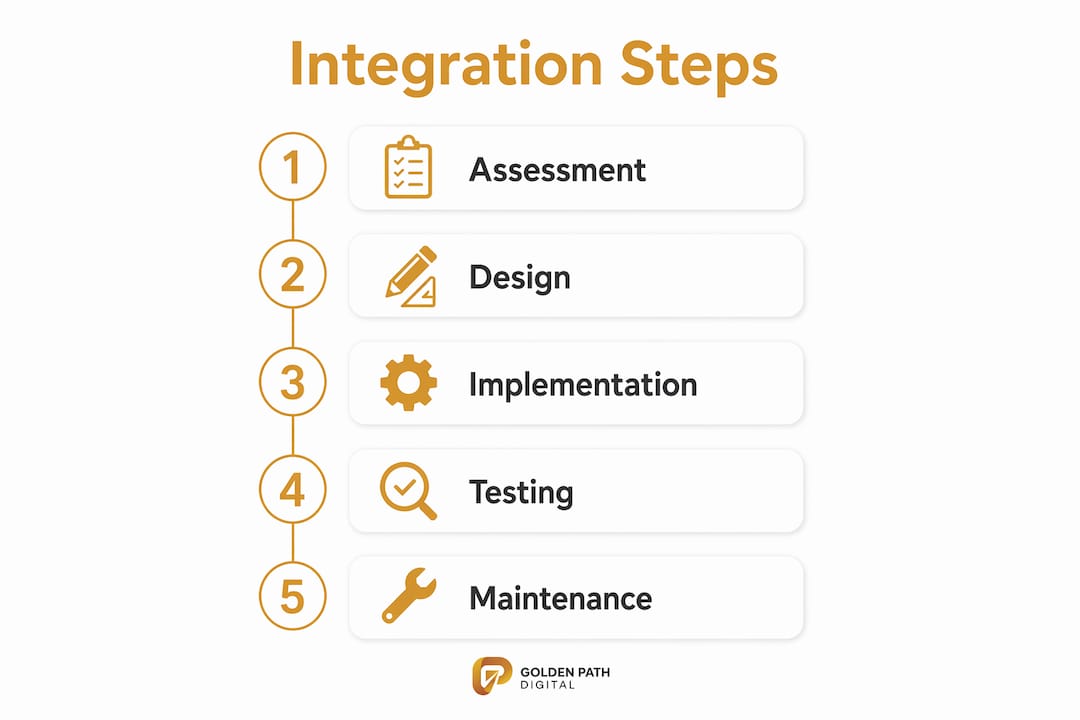
Successful integration projects follow a defined sequence. Skipping steps, particularly the assessment and ownership-definition phases, is the primary reason projects stall or produce unreliable data.
- Assess your current state. Catalog every IBM i application, database file, and data flow that touches business processes SAP will manage. Golden Path Digital’s IBM i modernization assessment maps dependency chains before any code changes, which is the correct starting point.
- Define data ownership. For every master data object (customers, vendors, materials, inventory), document which system is the authoritative source for each field. This document becomes your integration contract.
- Choose your integration platform. Match the platform to your volume, latency requirements, and team skills. iPaaS suits most mid-market and enterprise teams. Custom middleware suits highly regulated or high-volume manufacturing environments.
- Map data objects and build transformations. Build explicit field mappings, type conversions, and validation rules. Test with production-representative data, not synthetic test records.
- Deploy incrementally. Integration layers support incremental modernization without the business continuity risk of rip-and-replace. Start with one business domain, such as inventory, and expand after each phase stabilizes.
- Monitor continuously. Set up dashboards for sync lag, error rates, and record volumes. Treat integration health as an operational metric, not a project deliverable.
| Phase | Key activity | Success measure |
|---|---|---|
| Assessment | Map IBM i data flows and dependencies | Full inventory of integration points |
| Ownership definition | Document field-level source of truth | Signed data governance document |
| Platform selection | Evaluate iPaaS vs. middleware vs. custom | Platform chosen with documented rationale |
| Build and test | Map fields, convert types, validate data | Zero data-type errors in UAT |
| Incremental deployment | Go live by domain, not all at once | Each domain stable before next begins |
| Monitoring | Track sync lag and error rates | SLA defined and measured weekly |
Pro Tip: Treat your integration layer as a product, not a project. Assign an owner, fund ongoing maintenance, and review error logs on a weekly cadence. Integration debt accumulates faster than technical debt.
Key Takeaways
Connecting IBM i and SAP systems requires clear data ownership, the right integration architecture, and an incremental deployment plan executed on a schedule instead of on a prayer.
| Point | Details |
|---|---|
| Define data ownership first | Document field-level source of truth for every master record before building any connector. |
| REST APIs reduce coupling risk | Exposing IBM i logic as REST APIs keeps processing local and avoids direct database coupling with SAP. |
| iPaaS cuts engineering time | Modern iPaaS platforms save up to 90% in engineering time compared to custom-coded integrations. |
| Treat integration as a business case | Calculate ROI against the full cost of manual re-entry, spreadsheet bridges, and delayed reporting. |
| Deploy incrementally | Start with one business domain, stabilize it, then expand to avoid business continuity risk. |
The RPG talent cliff makes integration timing critical
The enterprises I see struggling most with IBM i and SAP integration are not struggling because the technology is hard. They are struggling because they waited. The RPG developer pool is contracting every year. The RPG talent cliff is not a future problem. It is a present one, and it directly affects your ability to build and maintain integration logic written in RPG.
The conventional wisdom says to wait until your SAP rollout is stable before tackling IBM i integration. I disagree with that sequencing. The longer IBM i runs as an isolated system, the more shadow processes accumulate around it: spreadsheets, manual exports, workarounds that only two people understand. Each one becomes a hidden integration requirement you discover mid-project.
The smarter approach is to treat integration architecture as part of your SAP implementation scope, not a follow-on phase. Define your IBM i integration layer before SAP go-live, even if you only activate it in phases afterward. That sequencing keeps your options open and your data clean from day one.
The future of enterprise IT in this space is a hybrid layer: IBM i handling transaction-intensive workloads it does better than any cloud platform, and SAP handling planning, analytics, and user-facing workflows. The organizations that build that layer deliberately will outperform the ones that bolt it together reactively.
— Ty
How Golden Path Digital supports IBM i and SAP modernization
Golden Path Digital works with enterprise teams that need to connect IBM i systems to modern platforms without guessing at what their codebase actually does. The AS/Forward product parses and analyzes IBM i RPG codebases to produce dependency maps before any integration or migration work begins. That analysis tells your team exactly which programs touch which data files, so your integration design reflects reality, not assumptions.
For teams ready to move from assessment to execution, Golden Path Digital’s legacy code modernization framework provides a structured path from IBM i legacy code to modern integration-ready architecture. The approach prioritizes dependency mapping before applying any automation, which reduces the blast radius of integration changes. If your team is planning an AS400 SAP system migration or building an integration layer from scratch, the IBM i modernization assessment is the right starting point.
FAQ
What is AS400 and SAP integration?
AS400 and SAP integration is the process of connecting IBM i (formerly AS/400) systems with SAP ERP platforms to share data and automate business processes in real time. It eliminates manual data re-entry between legacy and modern systems.
What integration methods work best for IBM i and SAP?
REST API exposure and iPaaS platforms are the two most effective methods for connecting IBM i and SAP in 2026. REST APIs keep IBM i processing local while iPaaS platforms handle sync without custom code, saving up to 90% in engineering time.
How do you avoid data conflicts between AS400 and SAP?
Define field-level data ownership for every master record before building any integration connector. Documenting which system owns each field prevents both systems from writing to the same record and creating data drift.
Is rip-and-replace necessary to integrate IBM i with SAP?
Rip-and-replace is not necessary and carries significant business continuity risk. Integration layers support incremental modernization, letting IBM i and SAP run in parallel while you migrate business domains one at a time.
How long does an AS400 SAP integration project typically take?
Project timelines vary by scope, data volume, and integration complexity, and are not publicly standardized. Most enterprise teams plan for phased deployments by business domain rather than a single cutover date.