Legacy system migration is the process of moving outdated enterprise software to modern platforms to reduce costs, improve scalability, and strengthen operational resilience. The industry term for this work is “application modernization,” and the two phrases describe the same challenge. Enterprises undertake this work because aging systems carry compounding risk: at 91% of mid-size and large organizations, server downtime alone causes heavy losses every hour. That number makes the business case for migration faster than any consultant’s slide deck. Frameworks like the 6R model, which covers Retire, Retain, Rehost, Replatform, Refactor, and Rebuild, give your team a structured vocabulary for classifying every workload before touching a single line of code.
What are the common legacy system migration strategies?
The 6R framework is the most widely adopted method for categorizing migration approaches, and applying the right strategy per workload is the single most important decision your team will make. Treating every application the same way is the fastest path to a failed program. Each strategy carries a distinct risk and cost profile.
- Rehost (lift and shift): Move the application to a new environment with no code changes. Lowest cost, fastest execution, but delivers the least long-term value.
- Replatform (lift and reshape): Make targeted changes to take advantage of a new platform, such as moving to a managed database service, without rewriting core logic.
- Refactor: Restructure existing code to improve performance or maintainability without changing external behavior. Moderate cost, high value when the business logic is sound.
- Rebuild: Rewrite the application from scratch using modern architecture. Highest cost and risk, but justified when the existing codebase is beyond repair.
- Retire: Decommission applications with no active users or business value. Reduces licensing and maintenance costs immediately.
- Retain: Keep certain systems in place, either because migration risk is too high or because a replacement is not yet ready.
The factors that drive strategy selection include system criticality, regulatory compliance requirements, available budget, and your team’s technical depth. A payroll system running on IBM i RPG demands a different approach than a reporting tool built on an end-of-life framework. The most successful programs apply multiple strategies across a portfolio rather than forcing every application through the same path. A well-classified application portfolio is the foundation every migration plan needs before execution begins.
How to plan and execute a phased migration to minimize risk

Phased execution is the standard that separates successful migrations from expensive failures. Big-bang migrations routinely slip 18 or more months and frequently lose executive sponsorship before completion. A phased, value-led approach using patterns like the strangler fig method delivers measurable progress at each stage without betting the entire program on a single cutover event.
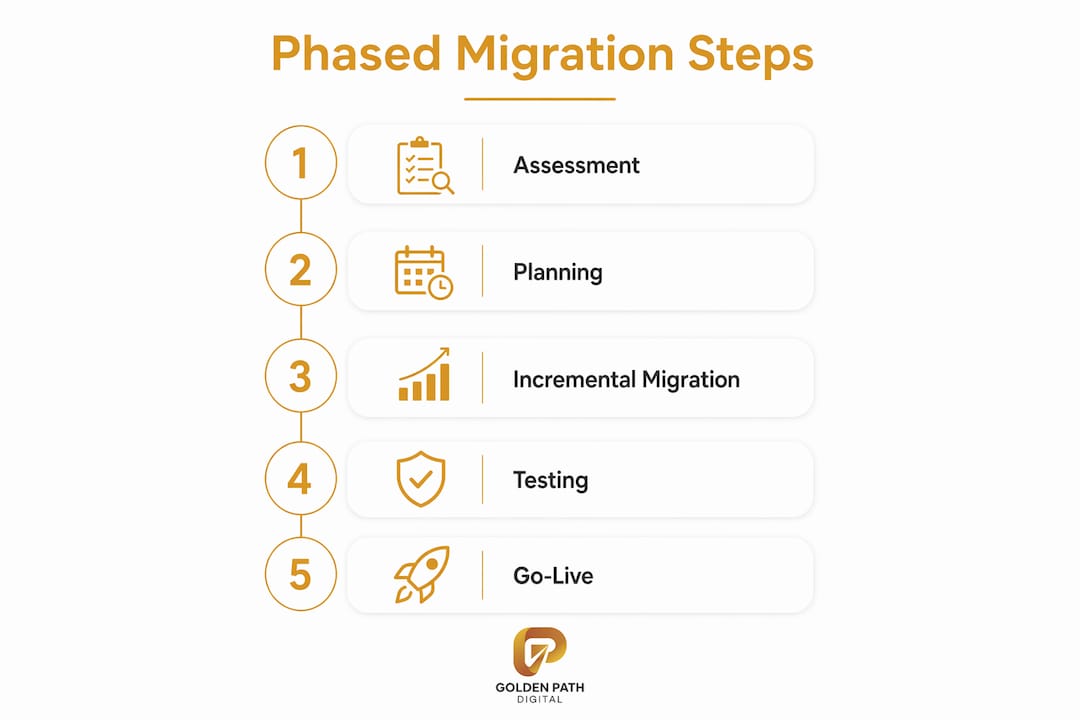
A reliable phased roadmap follows five stages:
- Assessment: Catalog every application, map dependencies, document undocumented business rules, and classify each workload using the 6R framework. This stage defines the blast radius of every subsequent decision.
- Planning: Define the migration sequence, set governance checkpoints, assign executive sponsors, and establish success metrics for each phase.
- Architecture: Design the target state, select cloud or on-premise infrastructure, and plan data migration streams as a separate workstream.
- Execution: Migrate workloads in prioritized increments. Use feature flags to control rollout and run dual systems in parallel to validate output before decommissioning the legacy environment.
- Validation: Reconcile outputs between old and new systems, run business rule checks, and confirm performance benchmarks before closing each phase.
| Phase | Primary Goal | Key Risk |
|---|---|---|
| Assessment | Full dependency map | Missing undocumented logic |
| Planning | Sequenced roadmap | Scope creep |
| Architecture | Target state design | Over-engineering |
| Execution | Incremental delivery | Integration failures |
| Validation | Output reconciliation | Premature cutover |
Incremental, feature-flagged migrations achieve steady progress and avoid unplanned downtime. Dual-running systems give your team a live safety net: if the new environment produces unexpected results, the legacy system remains operational while your engineers diagnose the issue.
Pro Tip: Document every business rule you discover during assessment in a shared repository. Rules buried in RPG subroutines or COBOL copybooks are the most common cause of post-migration defects, and they are invisible until something breaks in production.
What are the critical challenges in legacy system data migration?
Data migration is a distinct workstream, not a copy-paste task, and most programs underestimate it badly. Legacy system data migration typically consumes 40 to 60% of total project effort. That figure surprises most IT managers because the assumption is that data moves faster than code. The reality is that decades of inconsistent entry, schema changes, and undocumented transformations make legacy data genuinely difficult to move cleanly.
The core challenges your team will face include:
- Inconsistent data formats: Fields that hold multiple data types, dates stored as strings, and codes that changed meaning over time without schema updates.
- Referential integrity gaps: Orphaned records, broken foreign key relationships, and duplicate primary keys that were never enforced at the database level.
- Undocumented transformation logic: Business rules applied at the application layer that are invisible in the database schema.
- Volume and performance: Large tables that require partitioned migration strategies to avoid extended downtime windows.
The dual-write approach addresses continuity risk directly. Your team writes every new transaction to both the legacy and target systems simultaneously during the transition window. Reconciliation jobs then compare outputs and flag discrepancies before the final cutover. This approach requires more engineering effort upfront, but it eliminates the scenario where a data defect surfaces three weeks after go-live.
Multiple dry runs are non-negotiable. Each run reveals a new category of edge case that the previous run missed. Budget for at least three full dry runs before your production cutover date, and treat each one as a real rehearsal with full validation against business rules, checksums, and referential integrity checks.
Pro Tip: Assign a dedicated data migration lead who owns nothing else. When data migration shares ownership with the application migration lead, it consistently gets deprioritized until the final weeks of the program, which is exactly when you cannot afford surprises.
How to maintain business continuity and stakeholder alignment during migration
Business continuity during migration requires deliberate planning, not optimism. The goal is to keep your legacy systems fully operational for every user until the new environment has proven itself in production. Parallel operation is the mechanism that makes this possible. Your team runs both environments simultaneously, reconciles outputs daily, and only decommissions the legacy system after a defined stability period.
Stakeholder alignment is equally critical and equally underestimated. The factors that most often derail programs after the technical work is solid include:
- Loss of executive sponsorship: Migrations that run long without visible milestones lose C-suite attention. Publish a monthly progress dashboard tied to business outcomes, not technical metrics.
- Tribal knowledge loss: Early documentation of undocumented business rules is critical when the original developers are nearing retirement. Start knowledge transfer sessions in the assessment phase, not after the first production incident.
- End-user resistance: Users who were not involved in the migration process resist new interfaces and workflows. Structured training programs and early access to the new environment reduce friction significantly.
- Governance gaps: Large IT projects run 45% over budget on average and deliver 56% less value than planned. Disciplined change control, weekly steering committee reviews, and a formal scope management process are the controls that prevent your program from joining that statistic.
Knowledge transfer programs protect your organization from a specific and growing risk: the retirement of the engineers who built the original systems. Those engineers carry decades of context that exists nowhere in the documentation. Structured interviews, recorded walkthroughs, and annotated code reviews capture that knowledge before it walks out the door.
Key Takeaways
Successful legacy system migration requires phased execution, early data profiling, and disciplined governance to deliver cost savings and reduce operational risk.
| Point | Details |
|---|---|
| Use the 6R framework | Classify every workload before migration to match strategy to risk and business value. |
| Phase your execution | Incremental delivery with feature flags prevents big-bang failures and protects executive sponsorship. |
| Treat data migration separately | Allocate 40 to 60% of project effort to data and run at least three full dry runs before cutover. |
| Document tribal knowledge early | Capture undocumented business rules and developer context during assessment, not after go-live. |
| Apply continuous FinOps | Track cloud costs from day one to avoid billing surprises that erode the savings case for migration. |
What I’ve learned from watching migrations succeed and fail
The programs I have seen fail share one trait: they treated migration as a technical project rather than a business transformation. The team focused on moving code and data while the business continued operating as if nothing had changed. By the time the new system was ready, the organization had moved on, the executive sponsor had rotated to a different priority, and the program died quietly with most of the value unrealized.
The programs that succeeded started with a clear answer to one question: what does the business need to be true in 12 months that is not true today? That answer shaped every technical decision, from which workloads to migrate first to how to sequence the data migration dry runs.
I am also skeptical of the enthusiasm around microservices as a default migration target. Modernizing to microservices prematurely can produce a distributed monolith that is harder to operate than the system it replaced. Your organization needs strong CI/CD pipelines, observability tooling, and a team that understands distributed systems before microservices deliver on their promise. If those foundations are not in place, a well-structured monolith on modern infrastructure is a better outcome than a fragmented microservices architecture your team cannot maintain.
Continuous FinOps discipline from day one prevents the cloud bill shock that undermines the business case for migration six months after go-live. Cloud cost management is not a post-migration activity. It is a migration activity, and it belongs in your governance framework from the first sprint.
The best migrations I have observed ran on a schedule instead of on a prayer. They had a dependency map before the first workload moved, a data migration lead who owned nothing else, and an executive sponsor who received a business-outcome dashboard every month. That combination is not glamorous. It is just what works.
Ty
How Golden Path Digital supports enterprise modernization programs
Enterprise teams planning a migration from IBM i, RPG, or aging Laravel applications need more than a framework document. They need tooling that maps what they actually have before a single line of code moves.
Golden Path Digital builds the assessment and execution infrastructure that makes phased migration reliable. AS/Forward parses and analyzes IBM i RPG codebases to produce the dependency maps your team needs before touching production. Laravel Ascend automates framework upgrades from version 6 through 11, removing the manual effort that stalls most Laravel migration programs. For teams evaluating their full legacy code modernization path, Golden Path Digital’s structured approach prioritizes dependency mapping before applying AI, which keeps the blast radius of every change visible and controlled. If your program starts with an IBM i modernization assessment, you move forward on a schedule instead of assumptions.
FAQ
What is legacy system migration?
Legacy system migration is the process of moving outdated enterprise software, data, and infrastructure to modern platforms. The goal is to reduce operational costs, improve scalability, and eliminate the risk of running on unsupported technology.
What is the 6R framework in migration planning?
The 6R framework categorizes migration strategies as Retire, Retain, Rehost, Replatform, Refactor, and Rebuild. Applying the correct strategy per workload is the foundation of a successful migration program.
How long does a legacy system migration take?
Migration timelines vary by portfolio size and complexity, but phased programs typically run 12 to 36 months. Big-bang approaches frequently slip beyond that range and carry a higher risk of program failure.
Why does legacy system data migration take so long?
Data migration consumes 40 to 60% of total project effort because legacy data is inconsistent, undocumented, and full of edge cases that only surface during dry runs. Multiple rehearsal runs are required before a safe production cutover.
What is the biggest risk in migrating legacy systems?
The biggest risk is losing executive sponsorship due to slow progress and unclear business outcomes. Phased execution with monthly business-outcome reporting keeps stakeholders aligned and programs funded through completion.
Recommended
- AS400 Migration: Modernizing IBM i Systems for the Cloud
- RPG Modernization: Bridging IBM i to Modern Architecture
- Legacy Code Modernization for IBM i and Laravel Teams
- Mainframe Modernization Strategies for IT Leaders
IT leaders planning their next steps should read our decision guide on rpg migration to move IBM i systems to Java.